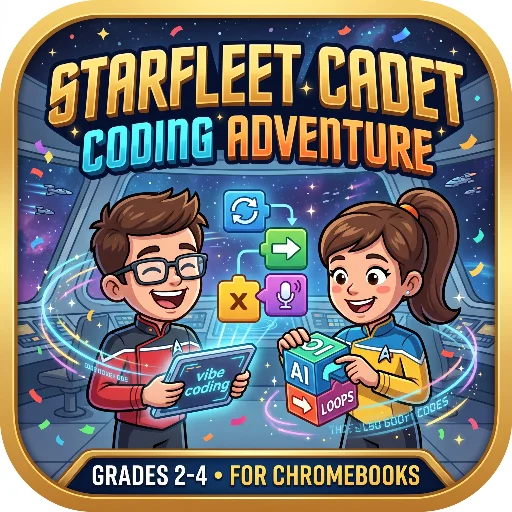
A Star Trek coding game for grades 2–4: Students snap tactile blocks to learn sequencing, loops, variables, and AI vibe coding with built-in voice vocab drills—built for Chromebooks.
October 21, 2026 Date app was updated 4 Number of launchesLink & QR Display
Built w/ Gemini: Canvas; tried Claude but wasn't happy w/ the results
Additional Details
Inspired by the tactile, hands-on learning of Osmo’s popular Coding Awbie iPad app, this web-based simulation brings engaging, block-based computational thinking directly to your students' Chromebooks or web browsers—no physical pieces, cameras, or downloads required!
🎮 Gameplay Breakdown & Mechanics Students act as Starfleet programmers guiding Cadet Luma across a tactical grid. Instead of typing code, they drag and drop "snap-together" blocks (Move, Beam, Scan, Report) onto their sequence tray. Just like physical blocks, students can turn a dial to set cardinal directions (Up, Down, Left, Right) and adjust numbers to change parameters (e.g., Move 3 spaces to the right). The game features smooth drag-and-drop re-sequencing and interactive "C-bracket" loops where commands can be nested inside one another.
🗣️ Built-In Accessibility (Text-to-Speech) Designed with emerging readers and diverse learning needs in mind. The game features an instant, offline-capable Text-to-Speech (TTS) engine. With the click of a button, students can hear:
The Captain's mission briefings read aloud
Vocabulary terms, definitions, and "Cadet Tips" spoken clearly
All multiple-choice quiz questions and answers read to them
📈 Multi-Leveled Progression & Built-In Quizzes The game features four distinct levels that gradually increase in complexity, moving from basic sequencing to loops and conditional variables (e.g., needing 2 crystals to unlock a door). Between missions, students enter the "Starfleet PADD" to review a vocabulary databank. They must pass a multiple-choice knowledge drill to advance. Answer correctly on the first try, and they are rewarded with a Starfleet confetti celebration! Answer incorrectly, and the game provides instant remediation by bringing the vocabulary card back to the screen for review.
✨ Introducing "Vibe Coding" & AI Literacy Level 4 introduces students to the modern concept of Vibe Coding. Students use natural language to prompt an AI copilot (e.g., "Loop move right and beam both crystals"). The simulated AI translates the words into actual code blocks on the tray. This highly engaging level teaches a crucial lesson: AI is a helpful tool, but the human programmer must always review, test, and debug the generated code before hitting execute!
📚 Computer Science Vocabulary Covered: Aligned with early elementary CS standards, this game explicitly teaches and tests the following terms:
Your display name appears as the author on apps you publish. You can change it later in your profile.
Add New App
Save your changes?
You have unsaved changes in this app. Save them, discard them, or keep editing.
Delete app?
This will permanently delete the app. Anyone with the link will no longer be able to load it.
↩
Undo Last Save?
Pause this app?
Duplicate this app
Code and Superpower settings carry over.
Stats, comments, and any saved app data start fresh.
The copy starts as private — turn on Copyable if you want others to copy it.
Leave blank to keep the original name.
.apphive.us
The max character count is 40.
Connected Superpower
An app with the Connected Superpower syncs data live between you and your guests. Build quizzes, games, collaborative stories, submission galleries, shared leaderboards, and more, used by one guest or many at once. Guests just open your link with no login required.
Access your teacher controls by clicking the Teacher button for the app on your My Apps page.
Ready to build? Copy the AI Instructions and paste them into Claude, ChatGPT, or Gemini. Describe what guests see and do, and what you want to see and control as the teacher.
AI
AI Superpower
An app with the AI Superpower generates text or images on demand for whoever opens it. Build reading-level analyzers, story starters, image generators, tutoring feedback, classifiers, and more.
Pick how AI is paid for when you build:
Use My AI Key. Your own OpenAI, Anthropic, or Google account powers the app for everyone who opens it. You set a daily spending cap and the app pauses if costs hit it. Best for apps you share with students.
Use Their AI Key. Each guest pastes their own AI key when they open the app. The key stays only in their browser. You don't pay for AI in this mode. Text and photo input work for everyone; image generation needs an OpenAI or paid Gemini key (not Claude). Best for apps you share with other teachers.
Ready to use it? Copy the AI Instructions for the mode you picked and paste them into Claude, ChatGPT, or Gemini before you build or update your app.
Email Superpower
An app with the Email Superpower can send messages straight to your inbox, including a subject, formatted text, and up to three photos. Build quiz result digests, parent update forms, exit ticket reports, suggestion box submissions, and more.
Emails always go only to you, the app owner. By default they arrive at your Teacher Hive account email, and you can switch the delivery address in your app's settings.
Ready to use it? Copy the AI Instructions and paste them into Claude, ChatGPT, or Gemini, whether you're building a new app or adding email to one you already have.
Make this app copyable?
Your app's URL will change permanently from
to
.
The old URL will redirect to this app's info page where other teachers can preview and copy it.
Anyone with the new URL can use your app and emails still come to your inbox.
Other Pro teachers will see a Make a Copy button on the info page. Their copies send emails to their own inboxes, not yours.
You can turn copyable off later, but the URL won't change back.
Short Link Superpower
The Short Link Superpower turns long, messy web addresses into short link.apphive.us/{slug} links that are easy to read aloud, type on a phone, or write on a board.
Your app can pick the slug or it can be made with 6 random characters. The short link can point somewhere new later without the link itself changing, and it can show how many visits each one has had.
Ready to use it? Copy the AI Instructions and paste them into Claude, ChatGPT, or Gemini, whether you are building a new app or adding short links to one you already have.
Pro Superpower
This Superpower is part of Hive Pro. Upgrade to unlock it for your account.
Tags make your app easier to discover. Add up to 6 keywords about the subject, skill, strategy, or type of activity. Grade level is already set using Target Audience.
Anyone with the link will be able to use it again right away. Stats, code, and data are preserved.
Are you sure you want to delete?
Make a copy with Builder
Copying an app to make it your own is a Hive Builder feature. Builder access is free for educators. Request it and you can copy this app and build your own.