
Skip to content
Tony Vincent
Tony Vincent

Vibe coding with students?

A new Teacher Hive member is teaching a Media Literacy and AI class to high schoolers and wants to hear what you’re doing.


Here’s what I did with 5th graders last school year...


I taught three classes of 5th graders to build apps with Gemini Canvas. Some teams put their code on Google Sites for their IB Exhibition projects. Their creations were simple, but showed how coding can fill the gap when slideshows and forms don’t quite do the job.


One group researched gender bias and created a sorting game that gave players a score at the end.
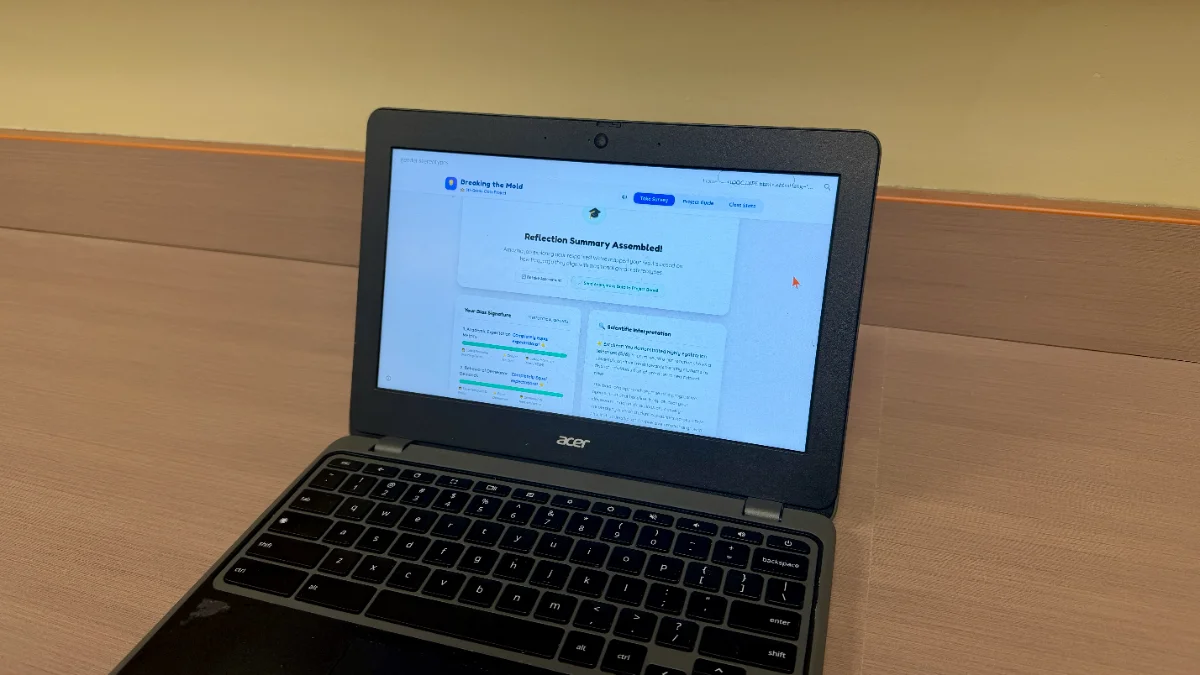
Another investigated food additives and made a Palm Oil Detective quiz.
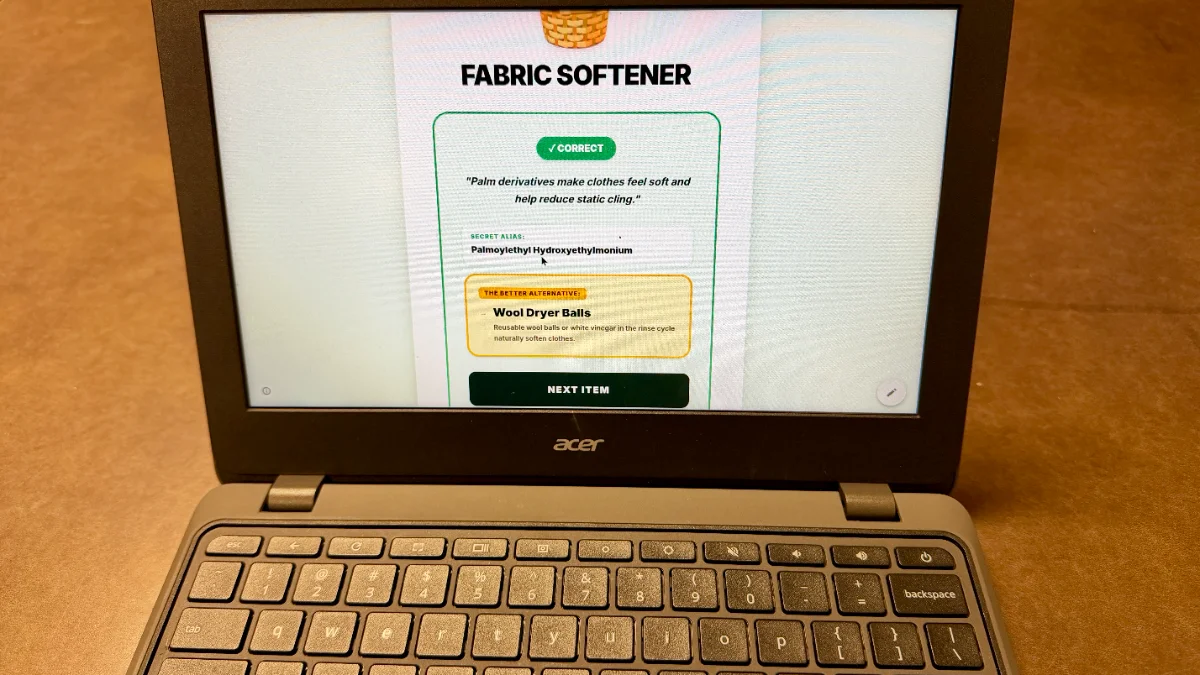
A team looking into deforestation built a display with a live counter showing the acres of forest lost since the beginning of the presentation.

Students exploring carbon footprints made a Carbon Guardian game where players try to separate the truths from the lies.
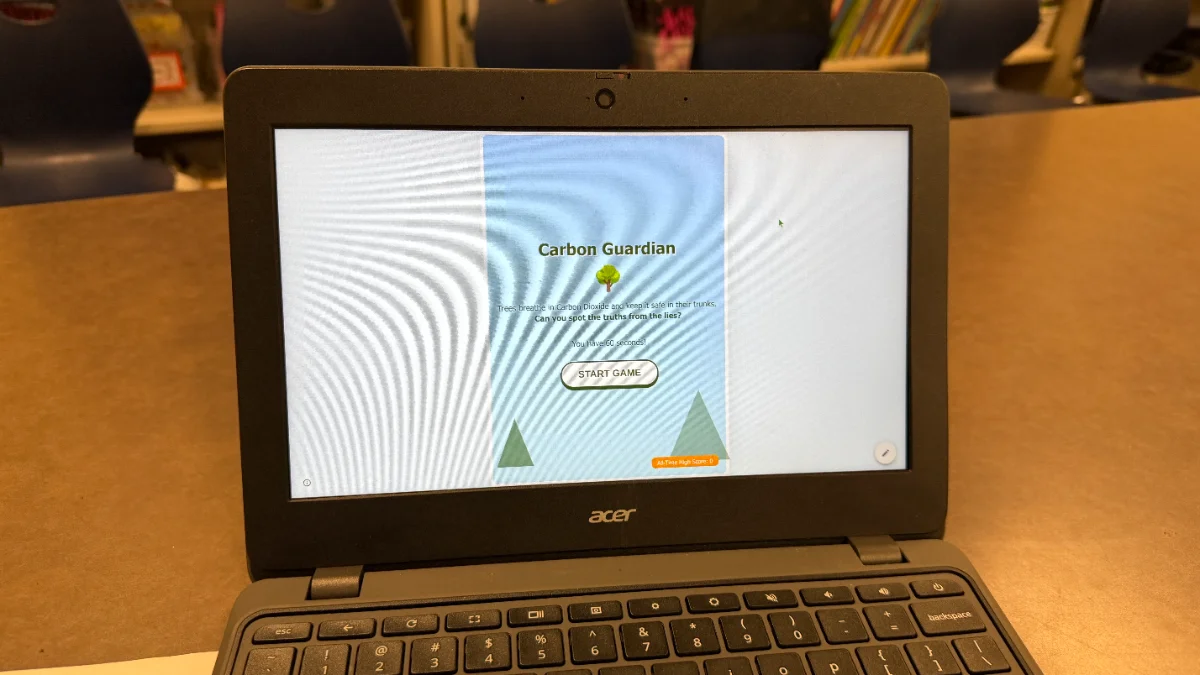
I made posters to help students with the technical side, leaving them to focus on what they wanted to communicate and how they wanted to design the experience.


If you’ve been vibe coding with students, what have they built? How did it go? We’d love to hear about it!
4 Comments

Tony Vincent Sep 28, 2026

I have to say, I’ve taught a lot of technology to students over the years, and vibe coding got the BEST reaction. They loved the possibilities and couldn't wait to get started.

Brian Briggs Sep 28, 2026

I am going to throw a wrinkle into this. First off, I love the idea because having the students create rather than Consume is my life mission. But working in an IT department, we block websites with games left and right; it's like whack-a-mole. Cool Math Games, for example: please point out what math game that is on there that is ACTUALLY cool. A workaround would be to have students submit their code and embed it on your own teacher Google Site, which you can share with other students who meet the standards you set for your class. We are in a new world here; steer the students to create, not consume. Point them toward good, not evil. Thank you for listening to my Ted Talk, hopping down off the soapbox now.

Wendy Corbyn Sep 29, 2026

I am vibe coding with fifth graders using Canva. They created a random name generator for their teacher, then created a math game for their second grade buddy. Finally, they identified a "Pain Point" in their community or their lives that they thought an app would help. Some ideas were chore apps, library due date reminders, and even a family travel planner! I plan to teach this lesson again to the fifth graders in my district.

Tony Vincent Sep 29, 2026

Wendy, what a great progression for what students are actually building. The random name generator gives everyone a simple, shared starting point. Then creating an app for their buddy gives them a real “client” and audience. Finally, identifying a pain point gives them a chance to design something that solves a problem that actually matters to them. I love that progression from following a prompt, to designing for someone else, to identifying a need and coming up with their own solution.

Brian Briggs Oct 1, 2026

Wendy, This is such a fabulous example of what excites me about vibe coding with students. They are not just consuming technology, they are using it to create something meaningful and useful in their own lives and communities. I love the progression from building something for their teacher, to something for a younger buddy, and then identifying their own “pain point” and designing a solution. That is real student agency. It is self-selected, authentic problem-based learning where technology becomes the tool for solving a real-world problem, not the lesson itself. This is exactly the kind of creating, thinking, and problem solving I want to see more of in classrooms! Thank you for sharing this story and your students’ success!

Amy Mele
Amy Mele Oct 8, 2026

Last spring, a middle school math teacher and I tasked her students with creating their own polynomial review games. Since the students don't have access to Gemini, we designed the activity so that each class period had 4-5 groups working together to craft an idea for a game. Then the groups pitched their ideas to their classmates. The class voted on one idea and the teacher vibe coded it right in front of their eyes, involving the students in the back and forth conversation with Gemini. When the final product was satisfactory, the code was embedded onto a Google Site and the students spent the last few minutes of the period playing the game. As each class period did the activity, more review games were added to the site. By the end of the day, there were 5 different styled games for the students to use as a review that night- from Sponge Bob themed to AI Apocolypse!

Tony Vincent Oct 8, 2026

The fact that students didn’t have access to Gemini became a constraint that led to an even better experience! The students got to focus on the creative thinking, brainstorming, and pitching, while the teacher handled the coding. Watching the teacher think aloud, work through trial and error, and respond to their ideas was probably more valuable than having students do the coding themselves. It turned the AI interaction into a whole-class learning experience rather than just another tool for individual students to use. Thanks for sharing your success story!

Dan Gallagher Oct 13, 2026

I was fortunate to be present in the room during one of the periods to see this activity in action and it was amazing to watch it unfold. Students were not in front of screens, they were having to communicate, make compromises, and generate a game plan. Since they were developing "a game" I saw every student engaged and participating. Students were focused on the content and delighted by the concept.

Sign in to leave a comment.