Turn Teacher Hive Simulations into Gradeable Labs with Wayground
Interactive simulations give students opportunities to explore, experiment, and learn by doing. They can manipulate variables, investigate scientific concepts, and see what happens when they make changes.
But here's a question: How do you know what each student is learning along the way?
Teacher Hive has a growing collection of online simulations and interactive explorations, including Steve Chappell's Cell Organelle Explorer and Nat W's Molecular Movement.
These activities offer terrific learning opportunities, but there's one challenge: Teacher Hive doesn't have student logins.
That means collecting student work or checking for understanding usually requires an extra step. You might have students record answers on paper, complete a separate Google Form, submit a screenshot, or download their responses to upload to an LMS like Google Classroom.
There's another option: Bring the simulation into Wayground!
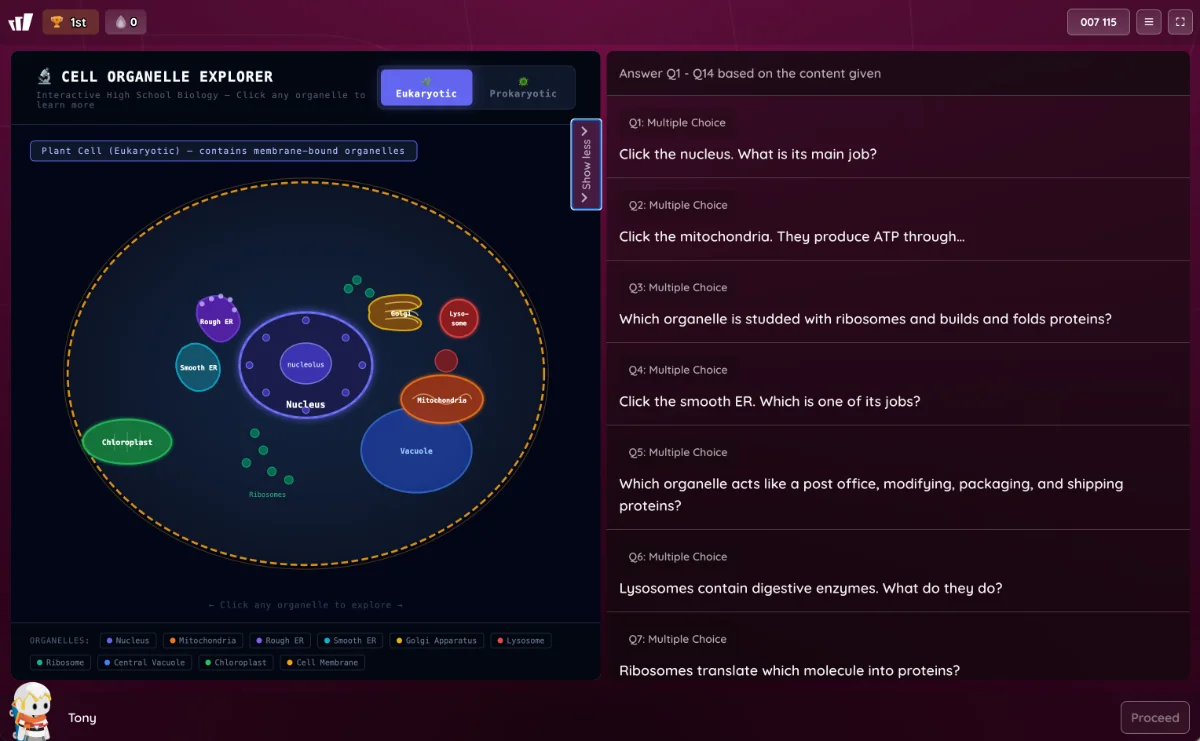
Wayground lets you combine a Teacher Hive simulation with questions in a single activity. Students get one link that opens a page with the simulation on the left and questions on the right. They can explore the simulation, answer questions as they go, and submit their individual responses.
For teachers, that means less juggling between tools and a much easier way to see what students understand. If you have your class set up in Wayground, you can assign the activity, review student responses, use the results to assess understanding, and sync grades to your grade book.
Kyle Niemis has been busy creating interactive dissection simulations, including this Cow Eye Dissection for middle school students. Check out Kyle's Teacher Hive profile to see more of his creations.
Kyle Niemis
Science teacher for 16 years and now Community Guy at Wayground. LOVE vibe coding!
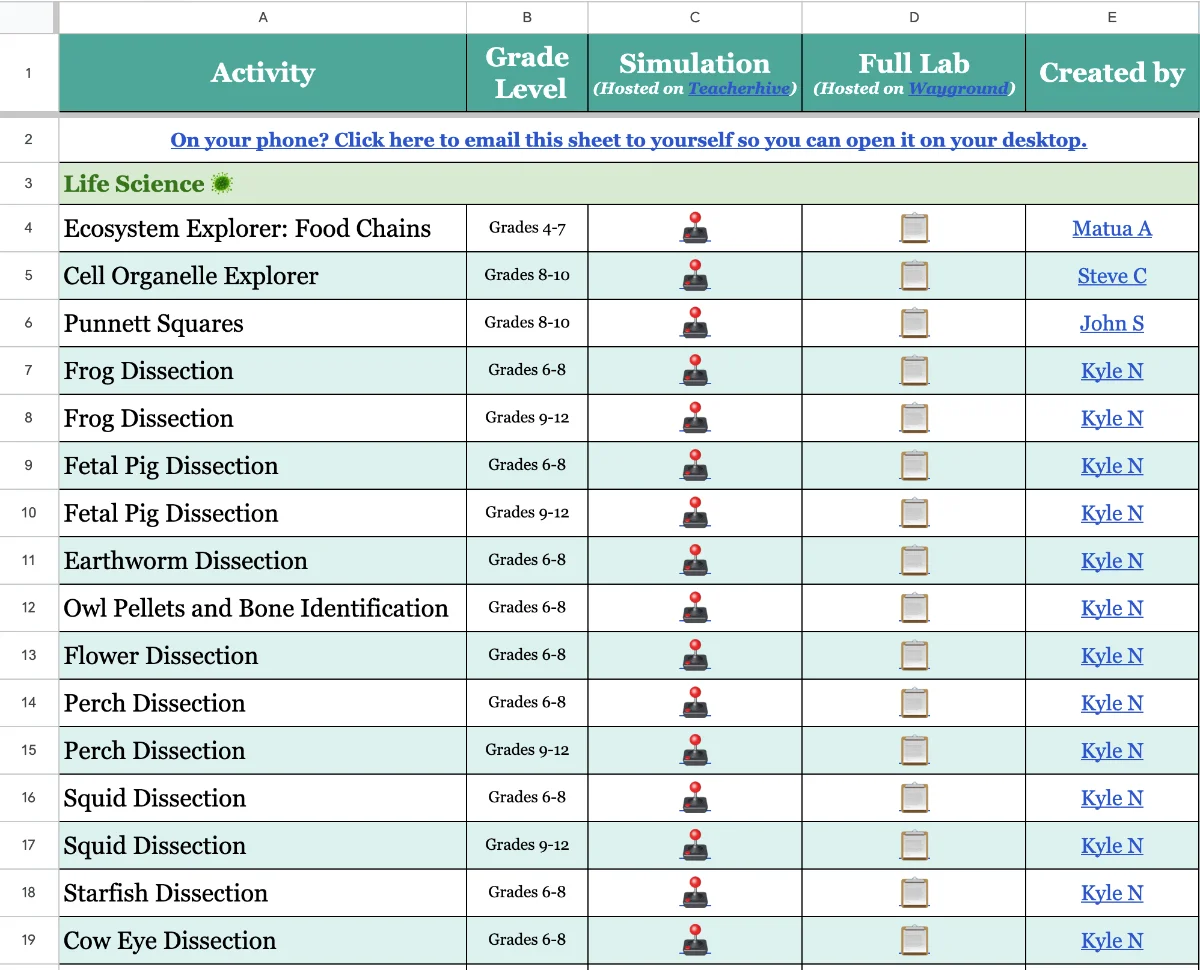
Kyle has even put together a spreadsheet of Teacher Hive simulation apps that work especially well inside Wayground. He's gone a step further and created complete lab activities by embedding these simulations into Wayground. It's all linked in the spreadsheet.
Even better, you can find Kyle's full lab activities on Wayground, make your own copy, and edit them to fit your students and learning goals.
Want to Make Your Own?
Adding a Teacher Hive app to a Wayground activity is pretty straightforward. Kyle has recorded a video walking you through the process.
Here's the workflow:
Copy the link to the Teacher Hive app you want to use.
Log into Wayground.
Click Create a resource and choose Passage.
Choose Bring your own and then Embed website.
Paste the copied app link.
The simulation will appear on the left side of the page. You can then add questions on the right.
That's it! You've combined an interactive simulation and a set of questions into one student activity.
Share What You Create!
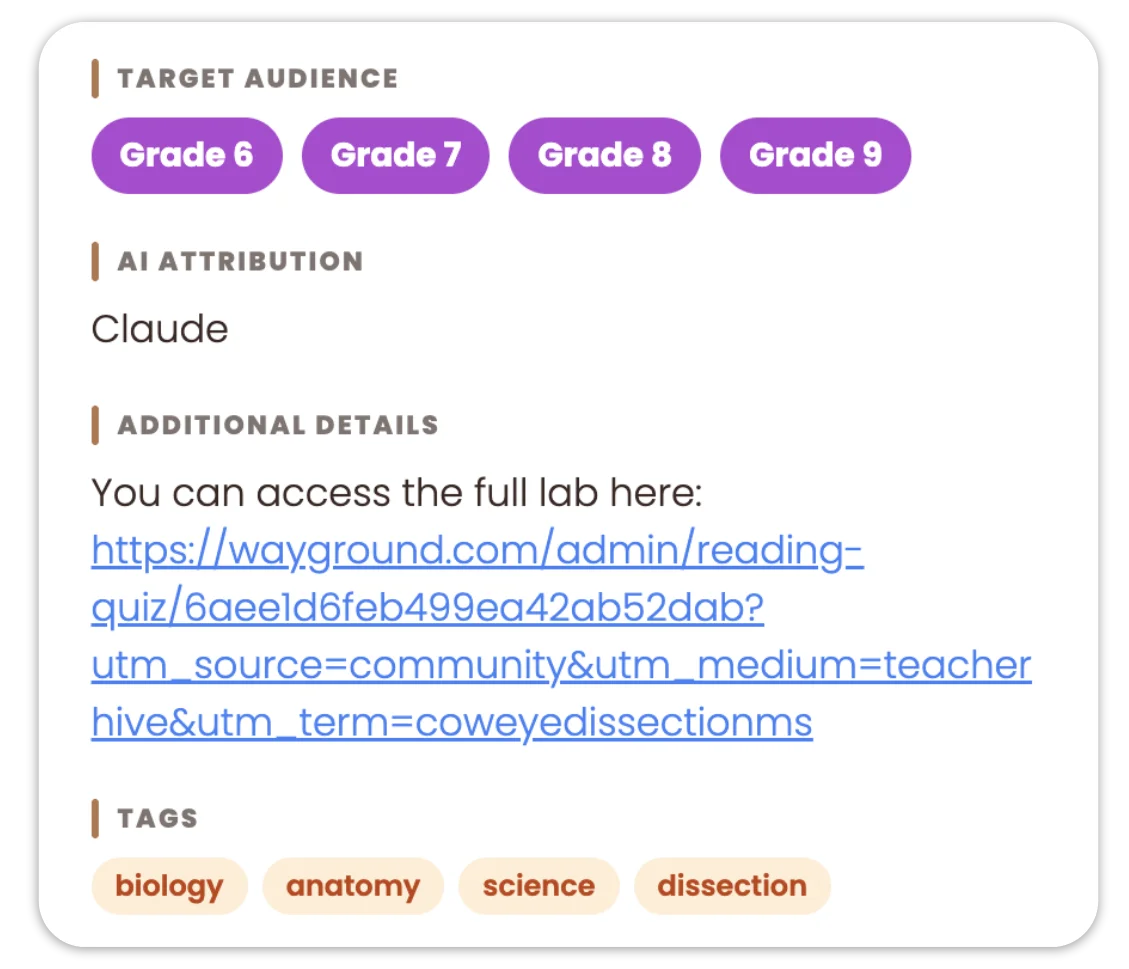
Create a lab with one of your Teacher Hive apps? Add a link to your Wayground activity in the app's Additional Details section. Other teachers can discover your activity, make their own copies, and adapt it for their students. Sharing your work helps everyone in the Teacher Hive community!
Why This Is Worth Trying
The real magic isn't just putting two tools together. It's giving students a chance to learn through exploration while making their thinking visible.
Instead of simply asking students to complete a simulation, you can ask them to make predictions, explain observations, identify patterns, and apply what they've discovered. Their responses give you a window into their thinking, not just whether they finished the activity.
And because everything is together in one place, students can focus on the learning rather than navigating between multiple tools.
Thank you so much, Tony, for highlighting this. It's been so much fun to create this app smash. Dan, thank you for creating these so quickly and sharing with the world
I love this idea of app smashing these two fabulous tools together. I will be checking this out to possibly add to some of my educator presentations in the future! Thank you for sharing Tony and Kyle!
Copying an app to make it your own is a Hive Builder feature. Builder access is free for educators. Request it and you can copy this app and build your own.




3 Comments
I talked with Kyle recently where he explained the power of smashing Teacher Hive and Wayground that I had to create two of my own! Here they are: Radiator Springs - in the style of Disney's Cars, this Pro-Bot simulator gives users an opportunity to program the robotic car to 'draw' geometric shapes. Teacher Hive Link: https://teacherhive.app/info/pro-bot-simulator Wayground Link: https://wayground.com/activity/admin/reading-quiz/6aee2e52526350d6ee8b2ee2?source=lesson_share Inbox Hero - inspired by Nick Pascarella's 'Email Master' this inbox email simulator has you interact with 6 emails to discover the various functions of having access to email. Teacher Hive Link: https://teacherhive.app/info/email-simulation Wayground Link: https://wayground.com/activity/admin/reading-quiz/6aee2ba29b9d1e083978fc10?source=lesson_share
Thank you so much, Tony, for highlighting this. It's been so much fun to create this app smash. Dan, thank you for creating these so quickly and sharing with the world
I love this idea of app smashing these two fabulous tools together. I will be checking this out to possibly add to some of my educator presentations in the future! Thank you for sharing Tony and Kyle!
Sign in to leave a comment.