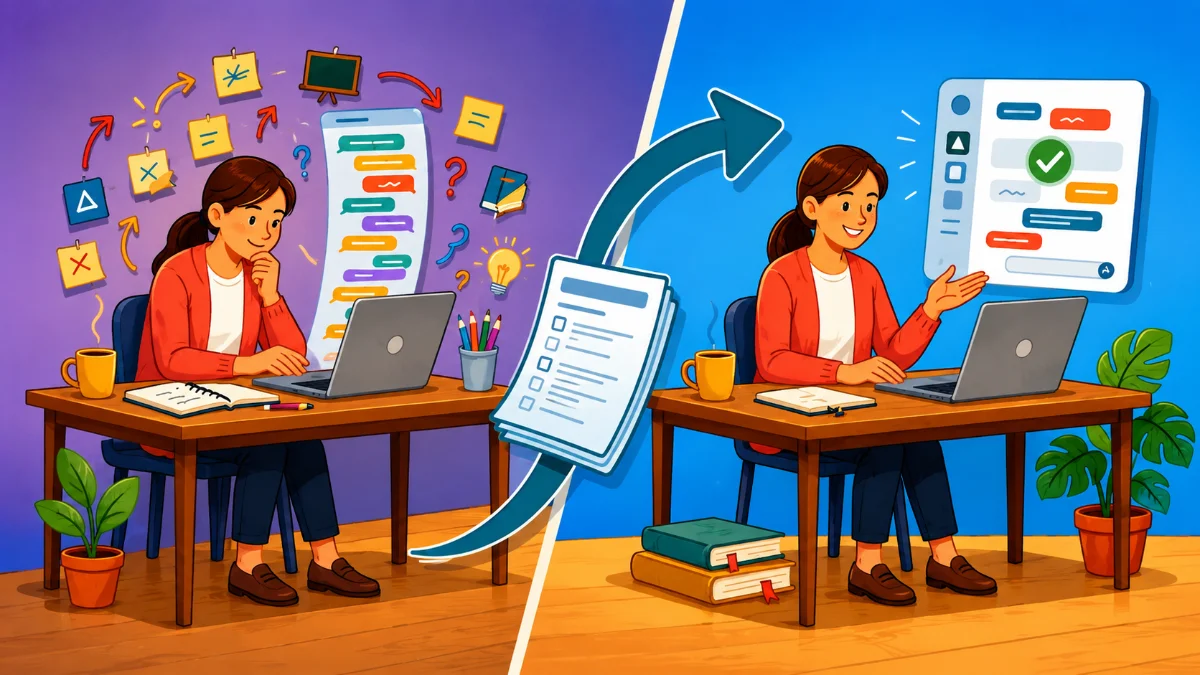
One of my favorite vibe coding tricks is to use one AI chatbot to think with and another to code.
Instead of jumping straight into building the code, I first ask AI to help me think through the app I want to build. Once we have a solid plan, I hand that plan to another AI chat for the coding.
This extra step usually saves me time, reduces frustration, and leads to a better first version of the app.
Start with a PRD
Software developers often begin with a Product Requirements Document (PRD). Think of it as a blueprint for your app. It describes what the app should do, who it's for, how it should work, and what it should look like before any code is written.
You don't need a PRD for every project. If you're building a timer, random picker, or simple review activity, you can usually create it in a single AI chat.
But for an app with multiple screens, settings, game mechanics, or lots of content, I almost always create a PRD first.
That's the approach I used for apps like Reel Fast, The Reverse Card, and Lesson Libs.
Let AI Interview You
Rather than trying to write the entire plan yourself, let AI ask the questions.
Start with this prompt:
I will use AI to create a web-based app for [audience] that [briefly describe what the app does]. Interview me one question at a time until you have all the information needed to write a clear PRD.
I love this approach because I only have to think about one question at a time. By the end of the conversation, I've usually made several design decisions I hadn't considered when I started. And, by asking for a PRD, the AI instantly knows what I’m asking for.
What's Included in a PRD?
Every app is different, but a good PRD usually includes:
- The purpose of the app
- The intended audience
- Core features
- How users move through the app
- Design preferences and layout
- Content the app should include
- Teacher settings and customization options
- Constraints or things to avoid
- What success looks like for the finished app
Time to Build
Once you're happy with the PRD, copy it into a fresh AI chat and ask it to build the app.
That new chat could be:
- A new conversation with the same AI chatbot
- A different chatbot like ChatGPT, Gemini, or Claude
- Several chatbots so you can compare the apps they generate
The AI can now focus on writing code instead of trying to guess what you're imagining.
Why I Like This Workflow
I've found several benefits:
- The AI spends less time guessing what I meant.
- The coding chat stays focused on building instead of planning.
- A fresh chat reduces mistakes caused by a long planning conversation.
- It usually takes fewer revisions to get the app working the way I envisioned.
- I can give the same PRD to multiple AI chatbots and compare their results.
- The interview often sparks ideas I wouldn't have thought of on my own.
- Spending five extra minutes planning often saves me much more time debugging and rewriting later.
Good app development begins with conversation, not code.
Before I ask AI to build an app, I ask it to interview me. That conversation almost always improves my idea. Then I hand the finished plan to another AI chat and let it code. Two AIs really are better than one!
2 Comments
Tony, I’ve reached the same conclusion. I’ve started using Gemini’s Canvas mode for the actual coding while keeping a separate chat window open specifically for ideation and strategy. I’ve also discovered that when a coding session starts to drag, it’s incredibly helpful to ask the AI for a summary of our progress to seed a fresh chat. I’ve noticed that as conversations grow longer, the likelihood of copy-paste error increases.
You're right. Those longer sessions do tend to get bogged down in context, and more and more errors start to creep in. Moving to a fresh conversations really helps. I catch myself dragging out chats for way to long, but I'm always happier when I move to a new one.
Sign in to leave a comment.