QR codes aren’t just for phones and tablets. Chromebooks, MacBooks, and PCs with cameras can scan them too. It’s just not built into the camera app like it is on your phone.
I used AI to code Bee There, a classroom-friendly QR code reader that works in any web browser. Have students add Bee There to their bookmarks bar, and they’re just two clicks away from scanning any QR code.
What makes Bee There classroom-friendly?
- Bee There has no ads, and it doesn’t collect personal data. There’s no logging in. After giving Bee There permission to use the device’s camera, it’s ready to go.
- Bee There is designed to open a web link the instant it’s detected. There’s no clicking or tapping needed. A subtle chime lets students know when the code has been successfully scanned.
- Bee There can scan QR codes on paper, but it’s been specifically tuned to scan QR codes displayed on a screen. Of course, how well this works depends on the quality of the device’s camera. But a student should be able to scan a code displayed large on a bright background from the back of the classroom.
- Bee There keeps a history of the last 50 scans on the device. So when you take down a QR code, students don’t need to ask you to display it again. They can find the link in their scan history. A student can even display a QR code from their history on their device so another student can scan it if they missed the code the first time.
- Bee There doesn’t just read URLs. It can also read other types of QR codes, including events, contacts, and text. Text can even be read aloud with the press of a button.
Typically, teachers send links to students through routes like Google Classroom, Schoology, or a class website. But if you don’t have that set up, a QR code is a great way to get the class where you want them to go. QR codes are also handy for station rotations, adding links to tutorial videos on paper assignments, and connecting students to digital activities, resources, forms, and games.
Get started with Bee There
Have students type apphive.us/there into their browser, or post the link in your online classroom. Then show them how to add Bee There to their browser’s bookmarks bar. On phones and tablets, they can add it to their Home Screen.
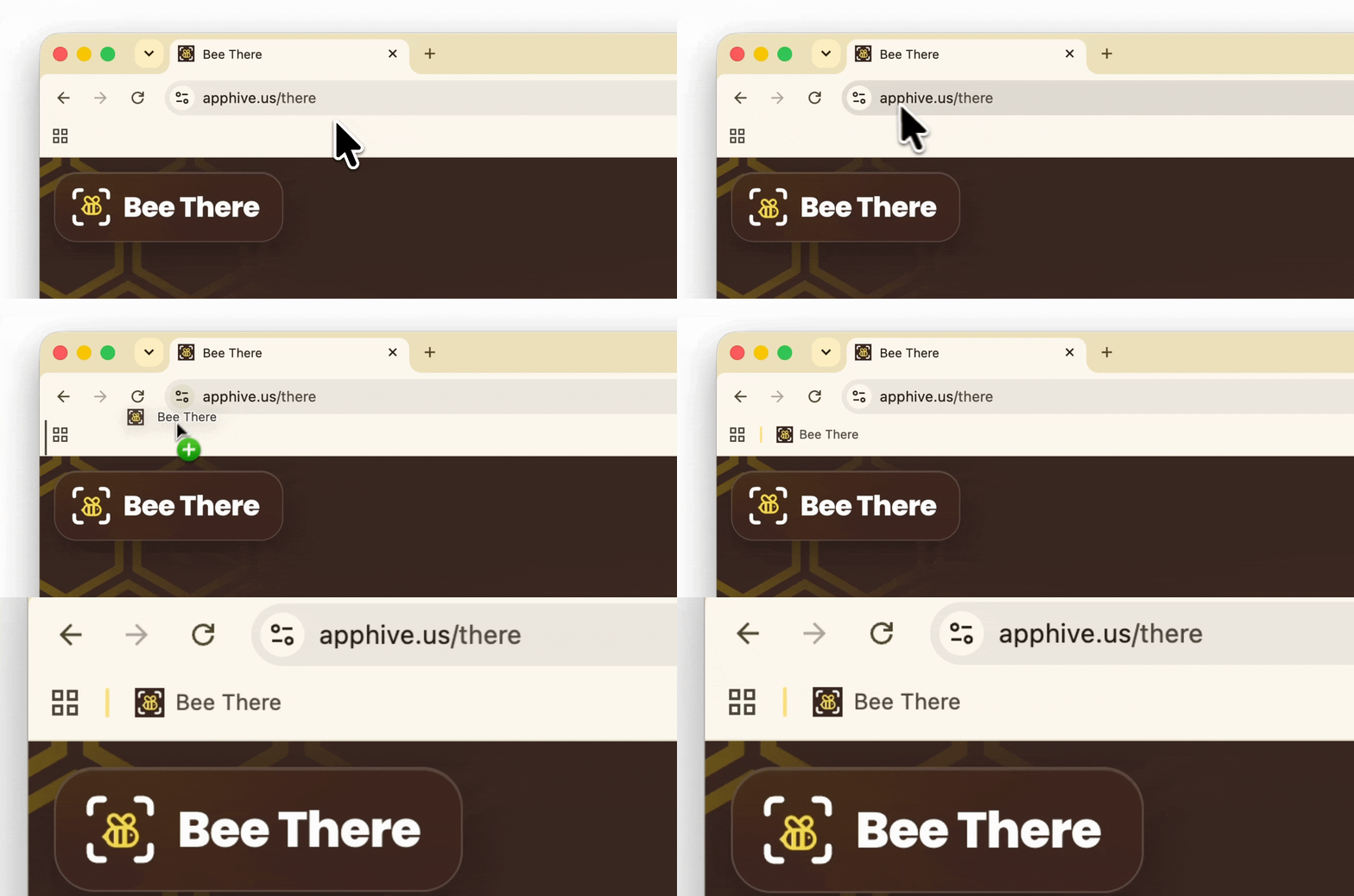
Once it’s there, Bee There makes it simple to scan and revisit QR codes.



Comments
Sign in to leave a comment.