
Some fun creating movie trailers.
The Buzz
Teacher community
Ideas, questions, and wins from fellow teachers.

Lovable anyone???
I saw an Instagram post from Kyle Niemis talking about Lovable and gave it a look... I started with my initial prompt for the writing prompt claw machine. I then went back to my Gemini conversation and asked for a prompt covering all of the updates I have made to the claw machine since the initial prompt. Updating in Lovable took me a couple days since a free account gives you 5 credits every seven hours. My initial prompt:
I would like an interactive writing prompt claw machine for students in fourth grade to operate by using the arrow keys of the keyboard to move the claw. Once ready, they tap on the space bar of the keyboard and the claw will reach down and retrieve a plastic egg. The egg will crack open on the screen revealing a writing prompt for the students to use during our free writing time. These prompts need to be school appropriate for fourth grade and need to be open ended, meaning any student could write on the topic. For instance, 'Who's your favorite football player and why?' wouldn't work because not everyone likes football or sports, but 'Create a new competitive team sport and describe how to play.' could work for anyone.
...took 4.5 credits to complete. I wanted to have a comparable app to view side by side. Here is my Gemini version (housed on Teacher Hive) and here is what Lovable created (published via Lovable's platform). Unfortunately, Lovable will not sign a data privacy agreement, so I can't use it through my district Google account, but I can access it with a personal account. Has anyone else tried this vibe coding tool? Would love to read about your experiences...

I Made an App for GaETC 2026
I just presented at my 17th GaETC in Atlanta, Georgia! In years past, I've shared a Google Slide in "preview" mode as my conference page, with each tile linking to that session's online handout. Here's what the looked like for GaETC 2025.
That approach worked well, but this year, with a little help from AI, I created a much more interactive experience: Tony Vincent at GaETC 2026.
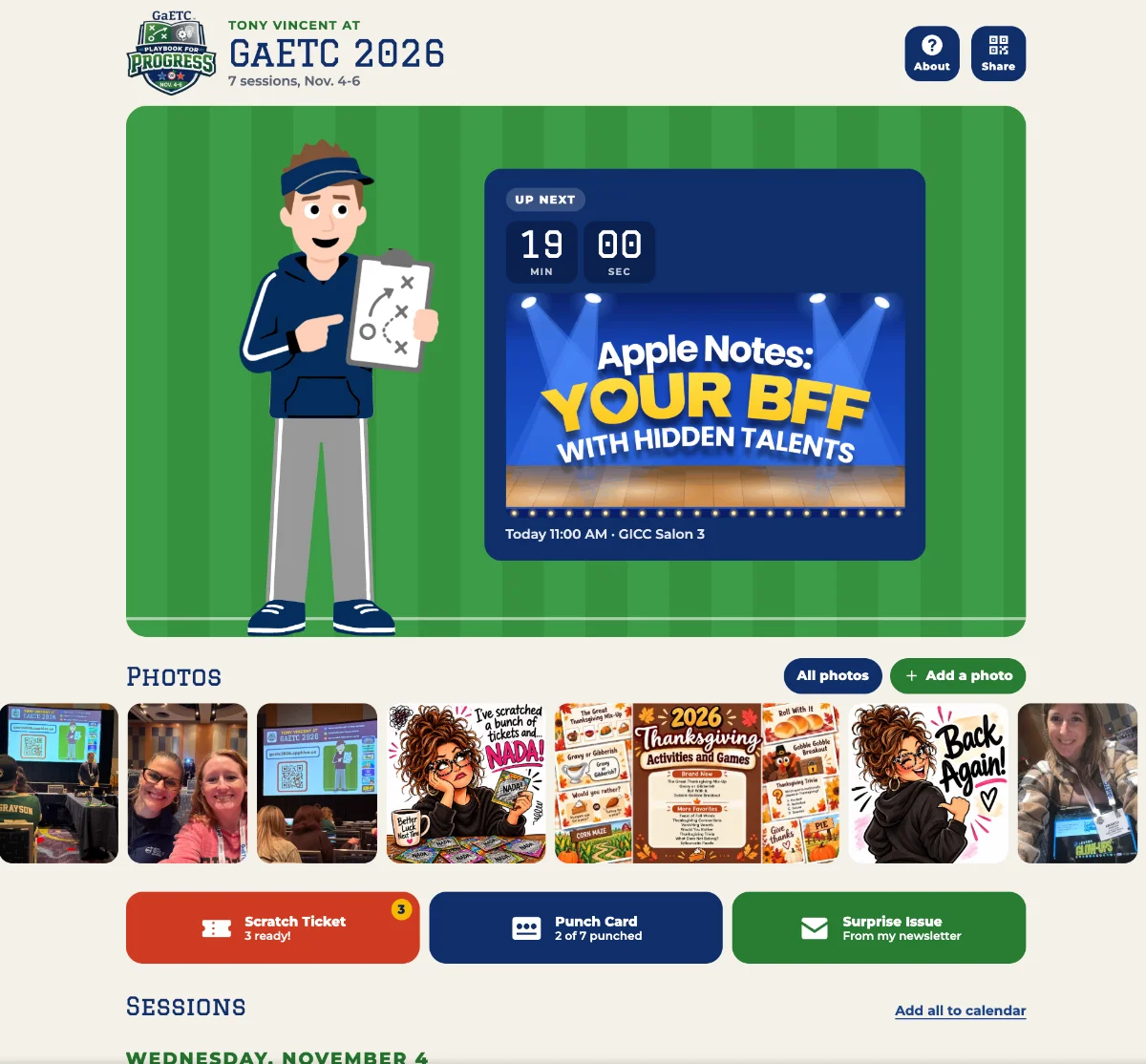
The 2026 GaETC theme was "Playbook for Progress," so I dressed my Tony cartoon as a coach. During the conference, the main page displayed the current or upcoming session alongside Coach Tony, complete with a countdown. Scrolling down revealed a card for each session. Clicking a card opened a modal with session details and a link to the online handout.
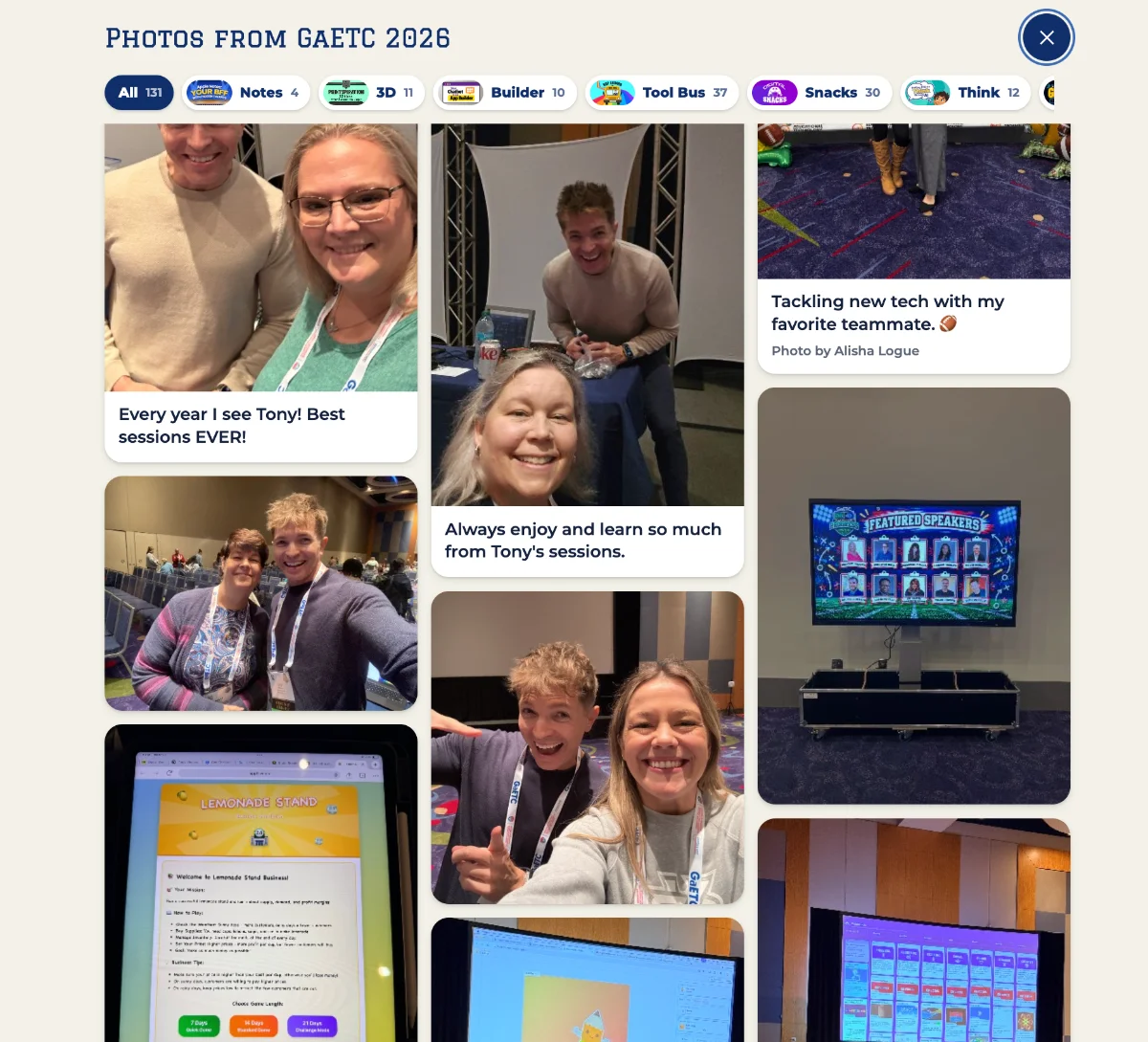
I've also missed the days of old Twitter when conference attendees shared and tagged photos from events. So, I added a photo gallery to my GaETC 2026 app! Some of the photos march in a parade across the main page, and clicking "All Photos" opens the full gallery. I loved seeing photos attendees shared from my sessions!
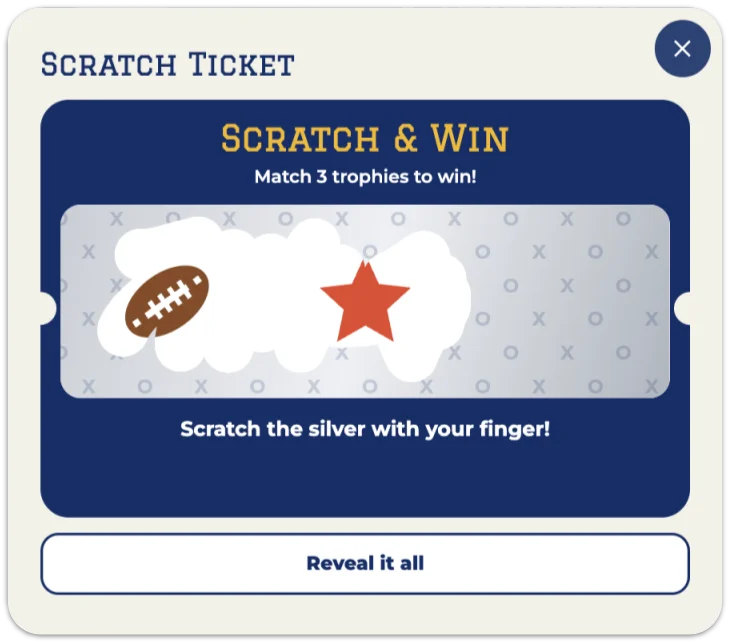
To encourage photo uploads, I added scratch tickets. Each uploaded photo earned the attendee a ticket, with about a 1-in-20 chance of winning a prize. Winners saw a screen on their device that they could show me, then got to choose something from my prize bin.
Creating and refining the app did take some time. I probably wouldn't go to the trouble for a single presentation, but if I'm presenting multiple sessions or leading a full-day workshop, you can bet I'll be making an app! It was such a fun way to connect with attendees and give them a resource they could continue to use after the event. My next conference app will be for MACUL in Detroit in March.
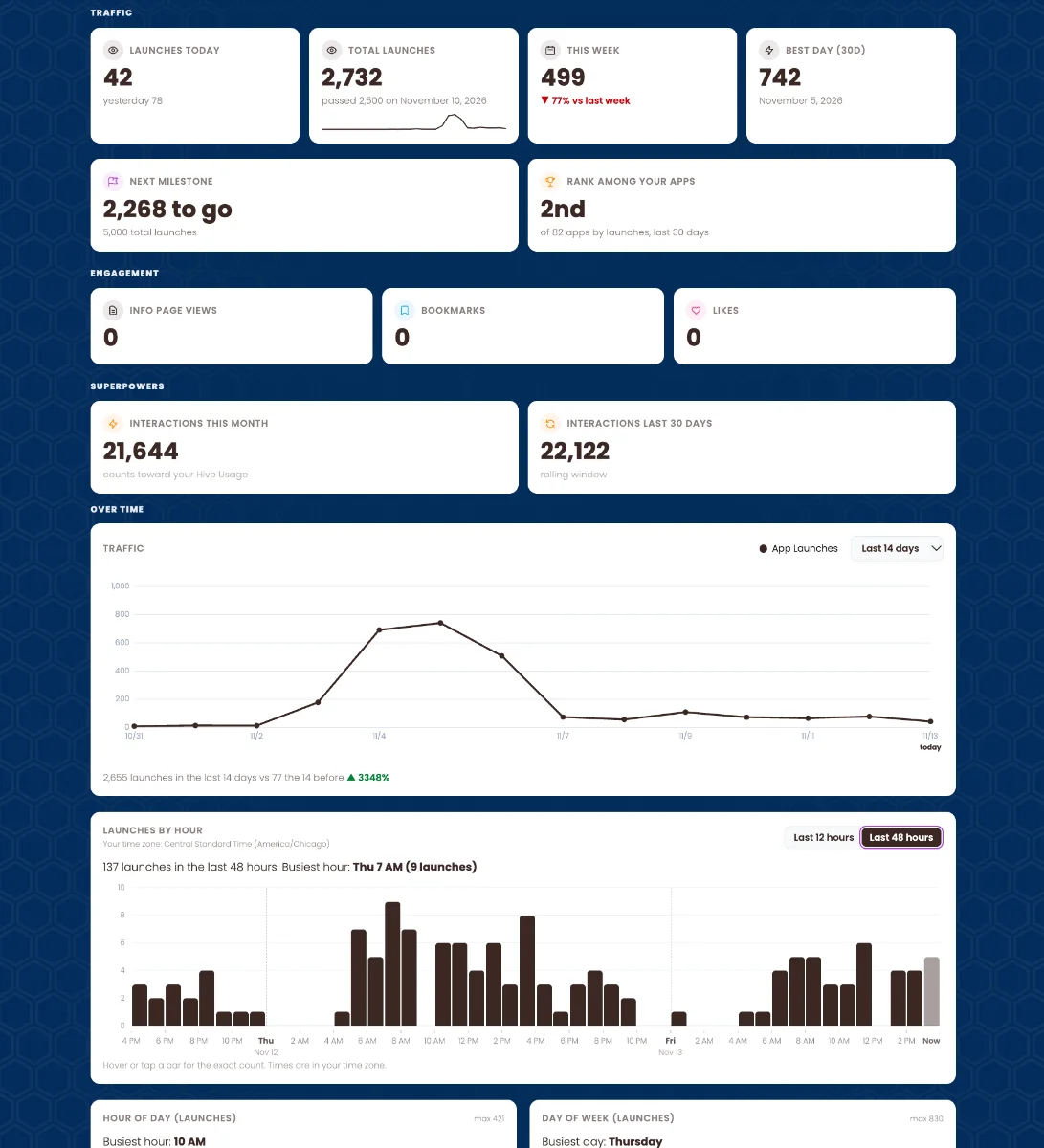
The GaETC app uses Teacher Hive's Connected Superpower. I gave my AI chat the Connected Superpower instructions and described what I wanted the Guest View to look like, along with the Teacher View (what I see as the app owner). This lets me collect photos and track link clicks. I also use the Stats Superpower to see visits by day and over the past 48 hours. I love knowing people are still launching the app, even a week after the conference!
The Stats Superpower is part of Teacher Hive Pro. Below is what the Stats page looks like for Tony Vincent at GaETC 2026.
What a Treat! Meet Our 2026 Halloween App Challenge Winners
Wow! Builders on Teacher Hive really came through for the Halloween App Challenge. We had more than 20 fangtastic entries! Apps were judged on:
- 🎃 Halloween spirit
- 💡 Creativity
- ⚙️ How smoothly it runs
- 📚 Educational value
- 🏫 Classroom readiness
The judges evaluated the apps and these five teachers came out on top:
- Brian Briggs for The Curse of Hive Manor
- Mr. Whaley for Ghost Town Detective
- Brent G. Warner for Brains & Articles
- Roman Stotland for Haunted High-Rise
- Nicole P for Spooky Times Tables

Each of our five winners will receive Teacher Hive keychains and stickers. We also randomly drew one winner from the group to receive a free year of Teacher Hive Pro.
And the winner is... Brent G. Warner! Congrats, Brent!
A huge thank-you to everyone who built and shared an app. The creativity and thoughtful learning experiences are incredible. It’s exciting to see teachers turning ideas into interactive experiences that students can use, explore, and enjoy. You’ve made this challenge a real treat, and I can’t wait to see what you build next!
Vibe coding with students?
A new Teacher Hive member is teaching a Media Literacy and AI class to high schoolers and wants to hear what you’re doing.
Here’s what I did with 5th graders last school year...
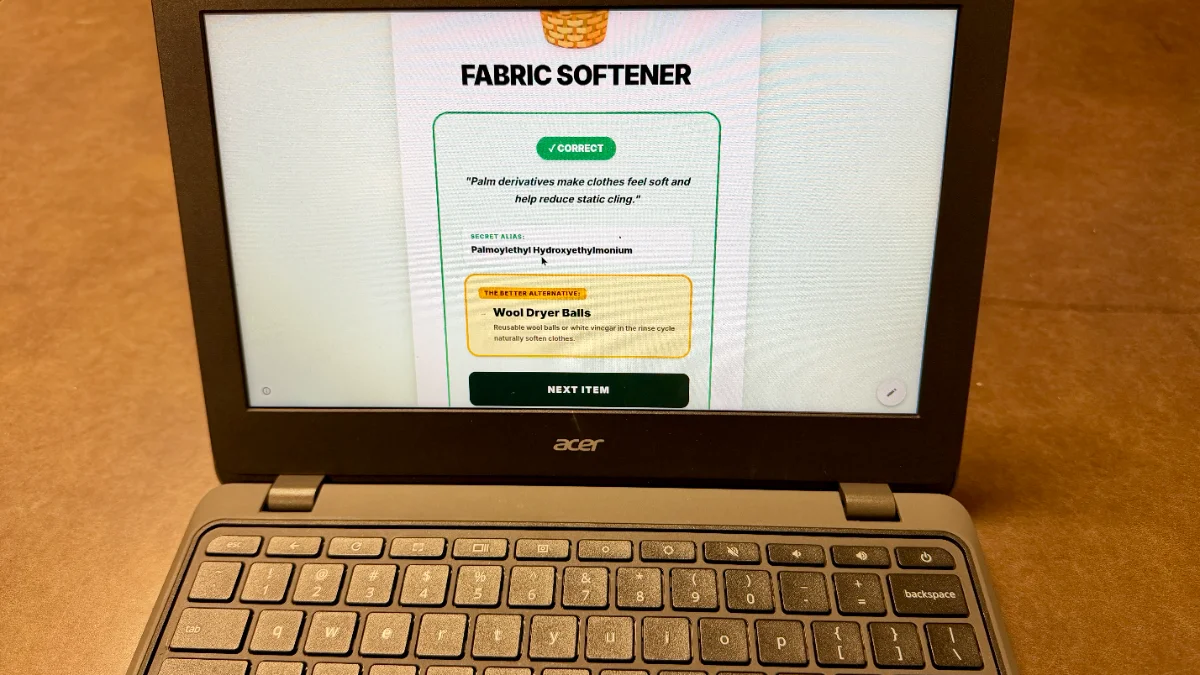
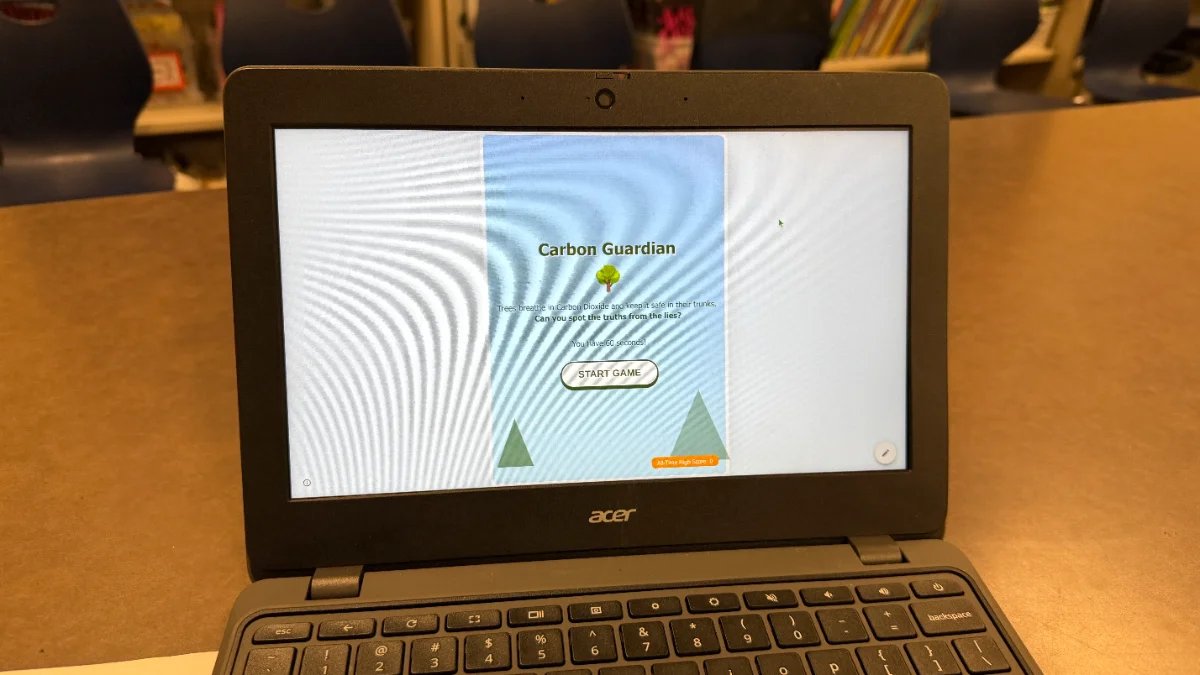
I taught three classes of 5th graders to build apps with Gemini Canvas. Some teams put their code on Google Sites for their IB Exhibition projects. Their creations were simple, but showed how coding can fill the gap when slideshows and forms don’t quite do the job.
One group researched gender bias and created a sorting game that gave players a score at the end.
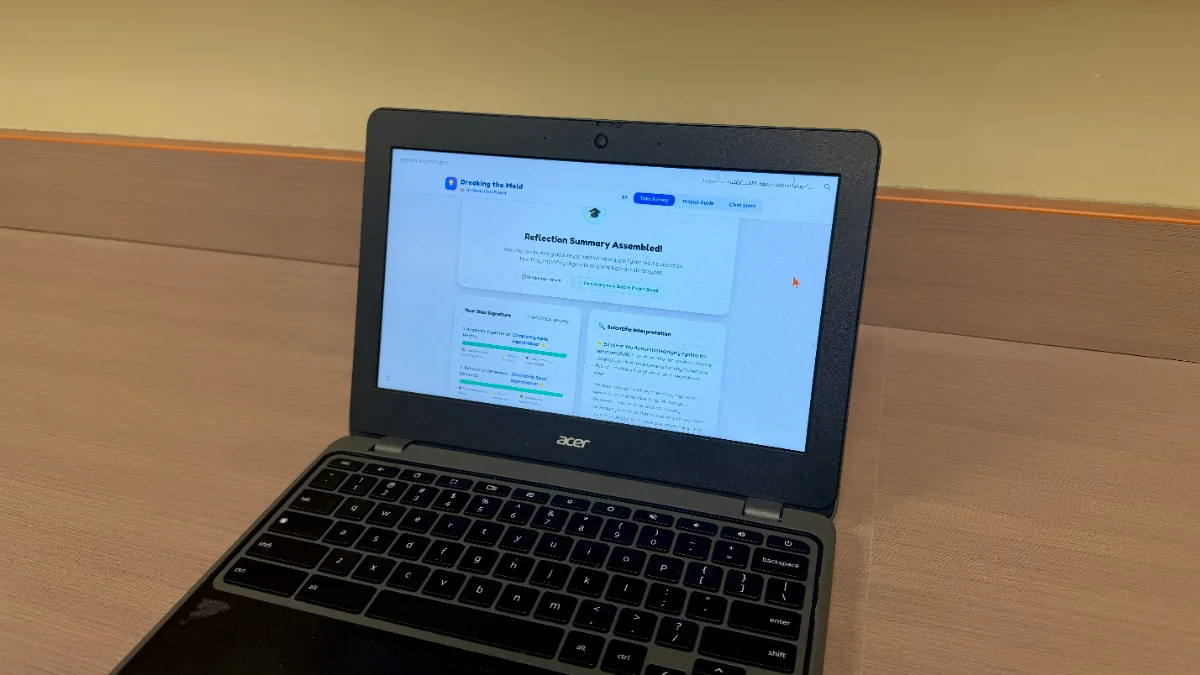
Another investigated food additives and made a Palm Oil Detective quiz.
A team looking into deforestation built a display with a live counter showing the acres of forest lost since the beginning of the presentation.

Students exploring carbon footprints made a Carbon Guardian game where players try to separate the truths from the lies.
I made posters to help students with the technical side, leaving them to focus on what they wanted to communicate and how they wanted to design the experience.
If you’ve been vibe coding with students, what have they built? How did it go? We’d love to hear about it!
Let's see your app in action!
Ideally, when you open an app, you know exactly what to do. But sometimes, the best way to understand an app is to have someone walk you through it. A short video can show users how an app works and highlight things they might otherwise miss.
Last week, I added a video field to the Add/Edit App form. You can now add up to five video URLs, including videos hosted on YouTube, Canva, or Google Drive. Added videos are embedded on the app’s Info page.
I plan to add videos to some of my own apps. I think a quick screen recording can help people see an app in action, understand how to use it, and get more out of it.
Don't be afraid to tell us about your app!
Sometimes it's hard to get a sense of an app just by opening it. Hearing from the teacher who made it can suddenly make the app come alive because we learn why they made it and what makes it special.
So please, feel free to post here in our Community and tell us about your app! You can even include screenshots and a link.
Teacher Hive has grown to more than 1,000 members!
Thank you for being part of this growing community of educators exploring what's possible when we combine our ideas, expertise, and passion with AI's ability to turn those ideas into interactive apps.
Whether you've built an app, bookmarked a favorite, left a comment, liked an app, or simply stopped by to explore, you've helped make Teacher Hive a better place.
If an app has helped you, take a moment to click ❤️. It's a simple way to encourage the teacher who created it and help others discover great resources.
And if you have a favorite app, share it on social media! A recommendation from a fellow educator is one of the best ways to help Teacher Hive and its creators reach more teachers.
Finally, if you know a colleague who would enjoy Teacher Hive, invite them to join us. The more educators who build, share, and support one another, the stronger this community becomes.
"Screen are not the solution or the problem. Design is."
Michigan Virtual posted this piece: "Screens Are Not the Solution or the Problem. Design Is" by Michelle Gierman. She reminds us that there's a big difference between passive, unstructured screen time and purposeful learning experiences.
It's worth a read, especially as more educators are creating their own classroom apps through vibe coding. The technology isn't what matters most. The design is.
Thanks to Michelle Lynn for sharing it on Facebook.
Beta Testers Wanted for Shapegrams Junior
I've been working on Shapegrams Junior, a new web app for students in grades K-3 to practice building pictures with shapes.
It's inspired by my Shapegrams lessons, where older students recreate pictures with shapes in Google Slides. Shapegrams Junior is designed to help younger learners build those same spatial reasoning skills before tackling more advanced challenges.
- No login required
- Teachers create a playlist of picture puzzles
- Share a link with students
- Students play right in their web browser on a computer or tablet
Try a sample playlist:
I'd love your feedback, especially if you have littles who can give it a try. My 6-year-old niece has been loving it and keeps asking when I'll add more puzzles!
There are built-in hints for students and a Help page for teachers.
Before I officially launch, I want to find any bugs, confusing spots, or pain points so primary teachers can confidently use it with their students.
Give it a go:

Looking for beta testers...
I've created a new app based on the early AI image creation of becoming an action figure. I'm looking for hopefully three people to test it out for me since it is using an API key of mine, I don't want to open it up for more than 3. Thank you
Community Buzz is Open!
This is the place to share ideas, ask questions, celebrate wins, and connect with fellow Teacher Hive creators.
You might post:
- 💡 An idea for an app
- ❓ A question you're stuck on
- 📚 A classroom problem you're trying to solve
- 🎉 Something you're proud of building
- 🤔 A feature you're considering
- 😫 A frustration you need to vent
- 📢 A shout-out to a Teacher Hive creator
- 📲 An app others should check out
Community Buzz is also a great place to find testers. If you're not ready to publish your app, keep it set to Private. Private apps don't show up in Teacher Hive listings, but anyone with the direct link can still open and use them. Share your link or a screenshot and ask for the kind of feedback you need:
- Does this make sense?
- What would you improve?
- Did you find any bugs?
- Is anything confusing?
- How does it work on different devices?
Whether you're sharing an idea, asking for help, celebrating a win, or looking for testers, jump in and post.
Trending Apps Animation
When you log in, your Teacher Hive Home screen highlights 8 trending apps from the last day, week, and month.
I tried a quick experiment with Canva's DepthLoop app. I uploaded the 8 icons for this week's trending apps, and chose the Carousel motion style.

Other DepthLoop also offers include Timeline, Ring, Flip Stack, Circle, Magazine, Spinning, Vertical Tower, Spiral, and Radial motion styles.
DepthLoops add the animation to a video project. Video projects in Canva can be downloaded as MP4 or GIF.
In need of assistance...
My district join a student data privacy consortium this year and we have them vet all of our approved tools to get signed Data Privacy Agreements. I recently submitted GitHub Education as a means to host files to use in Vibe Coding projects. They (GitHub) refused to sign an agreement. Does anyone know of another education platform where files (audio, video, & image) can be stored for free and retrieved in Vibe Coding projects?